G
GOAASECURE VIDEO

Proof of concept · Stakeholder demo

Incident video,
without exposure.

A protected bridge from validated Everbridge alerts to the six cameras that matter, delivered to GOAA-issued phones in seconds, with every access verified, time-boxed and audited.

Alliance One ConsultingSeptember 2026

The problem we solve

When an alert fires, responders need eyes on the zone.
Not a camera password.

01

Right cameras, instantly

An Everbridge alert for a zone automatically becomes an active incident with that zone's six camera views, with no manual lookup or dispatch.

02

Only the right people

Each provisioned responder gets a unique one-time link by SMS, unlocked with a personal PIN on their GOAA-issued device.

03

Nothing sensitive leaks

No RTSP addresses, camera credentials or incident details in the SMS or the browser. Video access is re-authorized every five minutes and can be revoked instantly.

GOAA Secure Video · POC02

How it works

From alert email to live video in eight steps

Every step shown today runs through the real application logic. Only the vendor edges, marked simulated, are mocks.

01 EVERBRIDGE

Alert email

Everbridge emails the dedicated mailbox with the incident, zone and notification ID.

02 VALIDATE

Trust checks

Sender/domain allow-list, template marker, and duplicate detection on the notification ID.

03 PARSE

Alert created

Explicit-field parser extracts the zone. The previous alert auto-closes and the new one goes ACTIVE.

04 LINKS

Per-user links

32 random bytes per responder. Only a peppered SHA-256 hash is stored.

08 GATEWAY

Token-gated video

The gateway checks every playback request with the API before any frame is served.

07 AUTHORIZE

5-minute token

Issued only for a valid session, an enabled user and an active alert.

06 PIN

Identity check

Argon2-hashed PIN, lockout after 5 failures, HTTP-only session cookie.

05 SMS

Safe message

"GOAA alert — tap to view securely" plus the link. No incident detail.

Source: docs/architecture.md · AlertService · AuthService03

Scope of today's demo

What is real, and what is simulated

ComponentTodayHow it behaves in the demo
Everbridge emailSimulatedRun test alert builds a realistic Everbridge email and pushes it through the real ingestion pipeline: validation, dedup, parsing, auto-close.
SMS deliverySimulatedMock provider marks messages delivered instantly, with a phone preview. Numbers ending 0000 simulate a failure with automatic retries.
Camera feedsSimulatedLooping CC0 airport clips (gate, door, ramp, concourse, corridor) served by a mock gateway that still requires a valid video token.
Alerts, users, PIN, sessionsRealProduction logic on PostgreSQL: Argon2 PINs, hashed links, lockout, revocation, alert lifecycle.
Audit trail & healthReal28 audit event types recorded on every security and lifecycle transition.
Hosting & deliveryRealAzure VM, HTTPS via nginx + Let's Encrypt, automated deploys to Development and UAT from GitHub.
Seed data: 2 zones · 12 cameras (1 offline per zone) · 3 demo responders04

Demo · Step 1

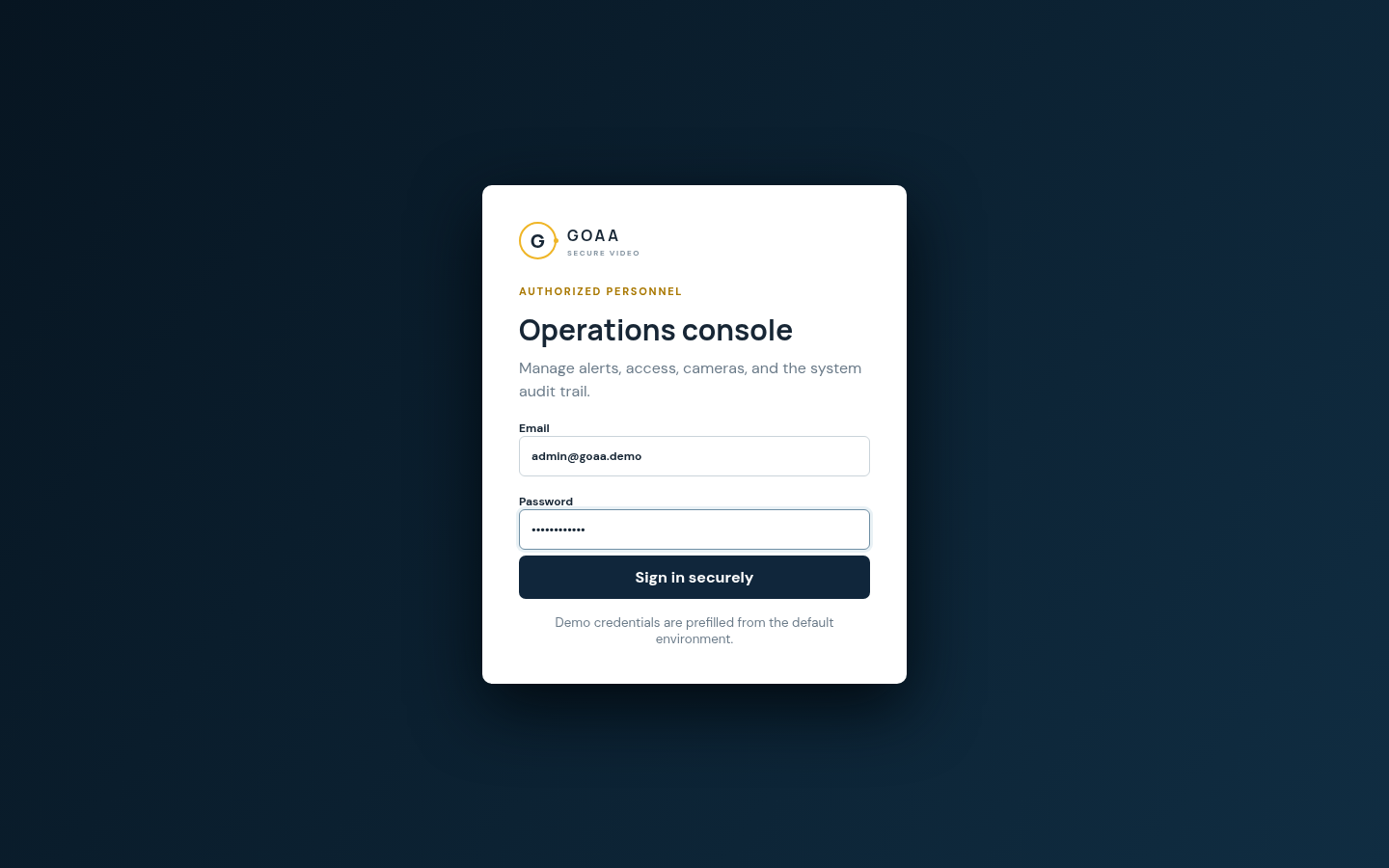
Operations console sign-in

  • Public landing page makes the promise explicit: mock integrations active, no RTSP credentials exposed.
  • Administrators sign in to a separate, authorized-personnel console.
  • Password hashed with Argon2. Session is an opaque HTTP-only, SameSite=Strict cookie.
  • Every state-changing request is origin-checked.

goa.abrdns.com
Landing page

Landing page

/admin
Admin login

Operations console sign-in

GOAA Secure Video · POC05

Demo · Step 2

The operational picture

  • Active alert, provisioned users (pilot cap of 20), active viewers and camera status at a glance.
  • Starts idle: "No active alert. Run a test alert to begin the demo."
  • Camera status reads 10/12, with one camera offline per zone by design, to show status monitoring.
  • The Run test alert panel is where we'll trigger the full email → alert → SMS flow.
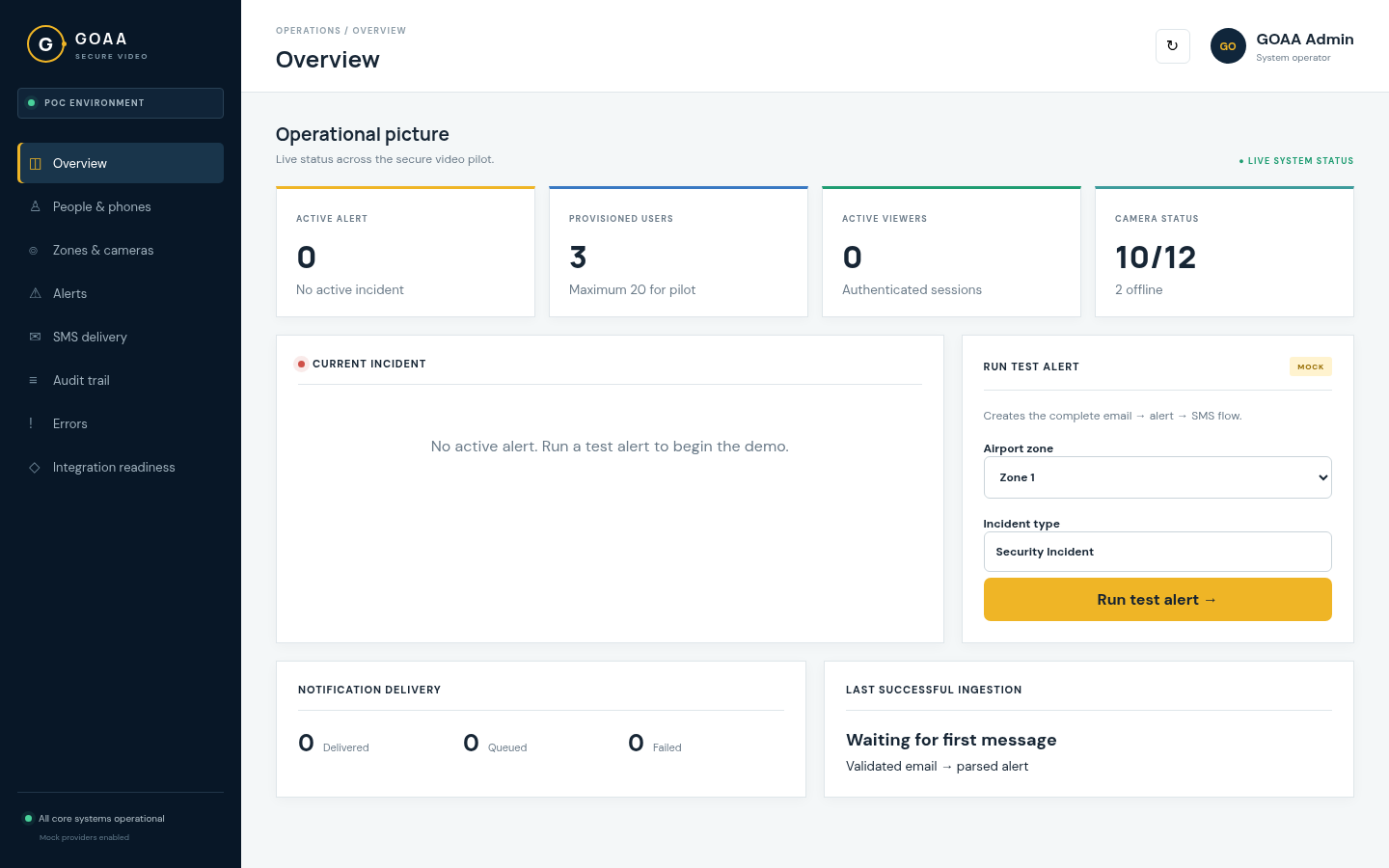
/admin · Overview
Overview idle
GOAA Secure Video · POC06

Demo · Step 3

Zones & cameras

  • Pilot covers Zone 1 and Zone 2 with six cameras each: gates, door, ramp, concourse and service corridor.
  • A placement map shows live (green) and offline (red) cameras.
  • Operators can mark a camera live or offline, and viewers pick up the change on reload.
  • RTSP endpoints stay server-side. The browser only ever sees camera names.
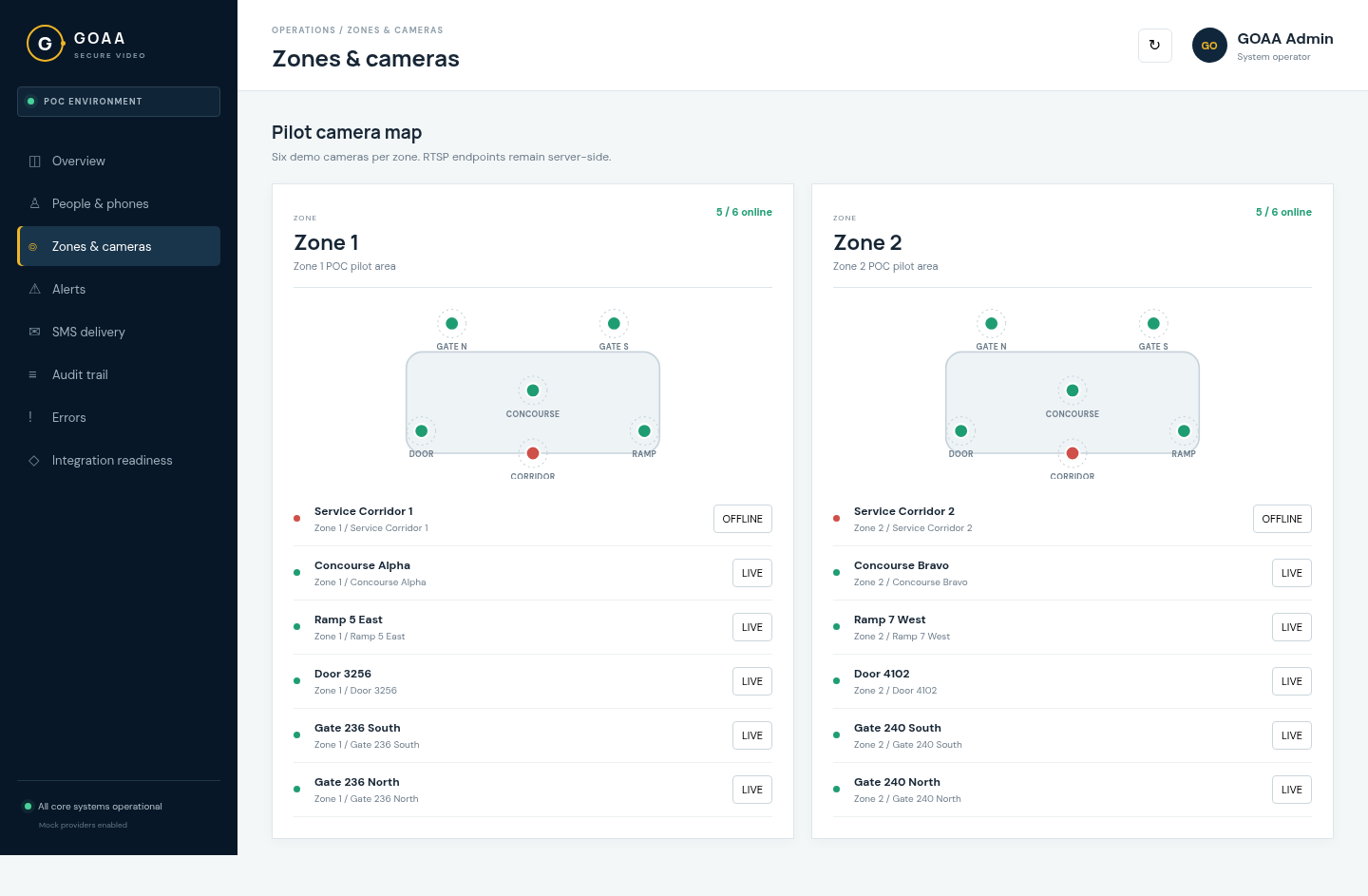
/admin · Zones & cameras
Zones and cameras
GOAA Secure Video · POC07

Demo · Step 4 · Simulated Everbridge

Run a test alert for Zone 1

  • One click generates an Everbridge-format email and sends it through real validation and parsing.
  • An incident goes ACTIVE with its Everbridge ID, and any previous alert is closed automatically.
  • All three enabled responders are notified: 3 delivered, 0 queued, 0 failed.
  • Last successful ingestion updates, confirming the pipeline ran end to end.
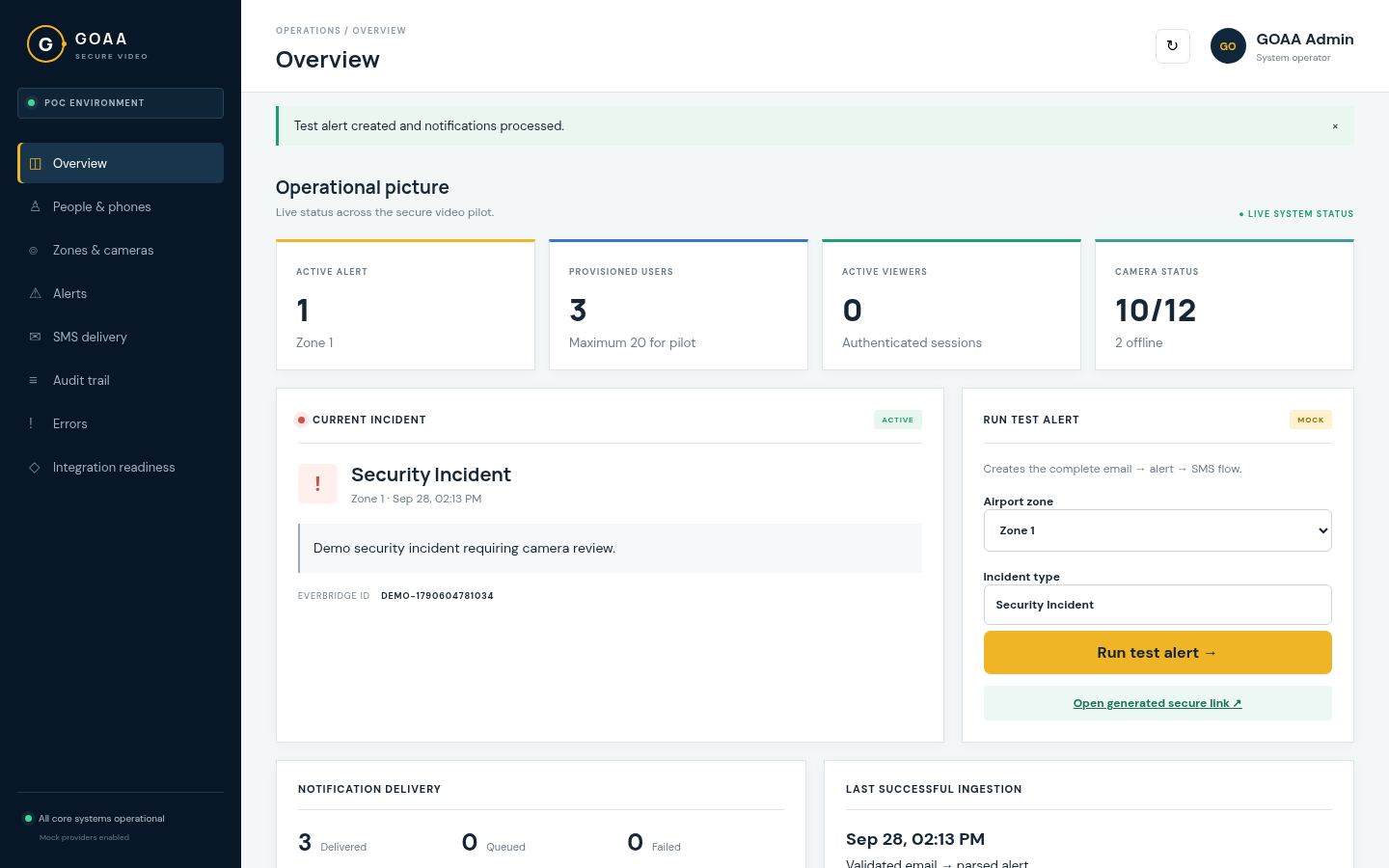
/admin · Overview
Active alert
POST /admin/test-alert → ingestEmail → processSmsQueue08

Demo · Step 5 · Simulated SMS

What the responder receives

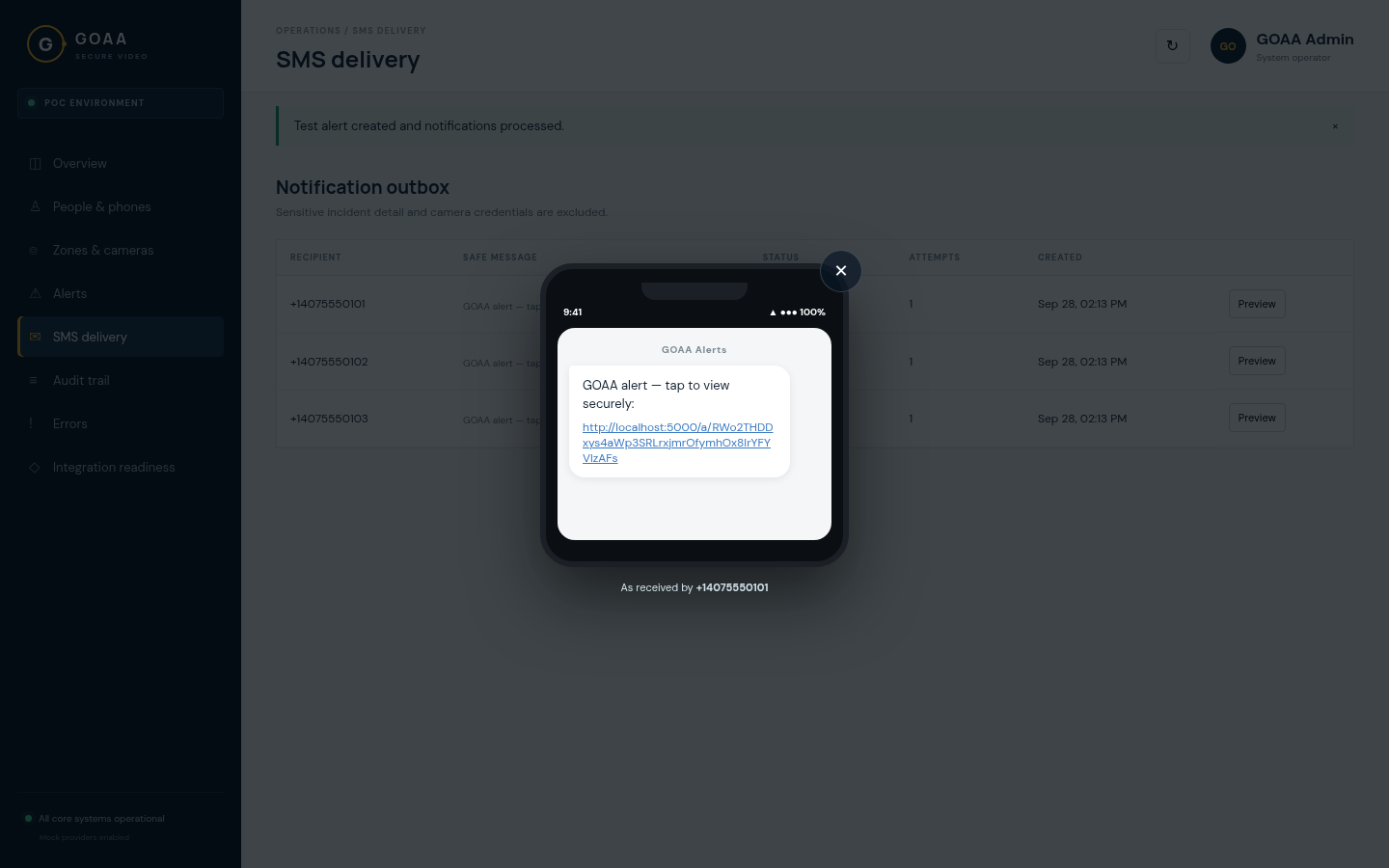
  • The notification outbox tracks every message: recipient, safe message, status, attempts.
  • Preview shows the SMS exactly as it lands on the phone.
  • The message carries no incident details, zone or camera information, only a unique secure link.
  • Failed sends retry automatically (+30 s, +60 s) and can be retried manually.
  • Alerts → Secure links lists every responder's link for the active alert, with Copy link, Open and Copy all.
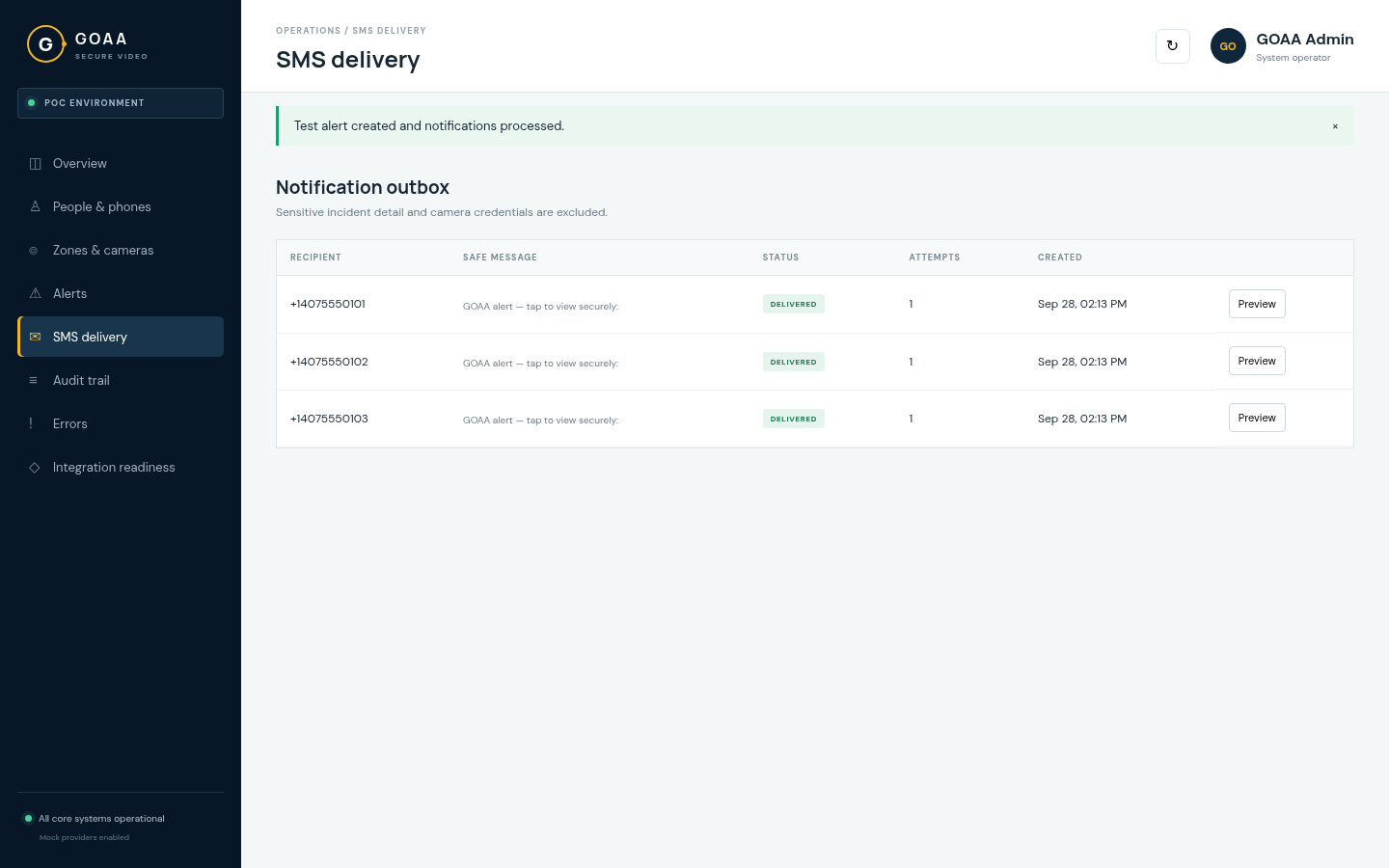
SMS delivery
SMS outbox

Notification outbox

Preview
SMS preview

Phone preview of the delivered message

Link tokens: 32 random bytes · stored only as peppered SHA-25609

Demo · Step 6 · Invited responder

Identity check on the GOAA-issued phone

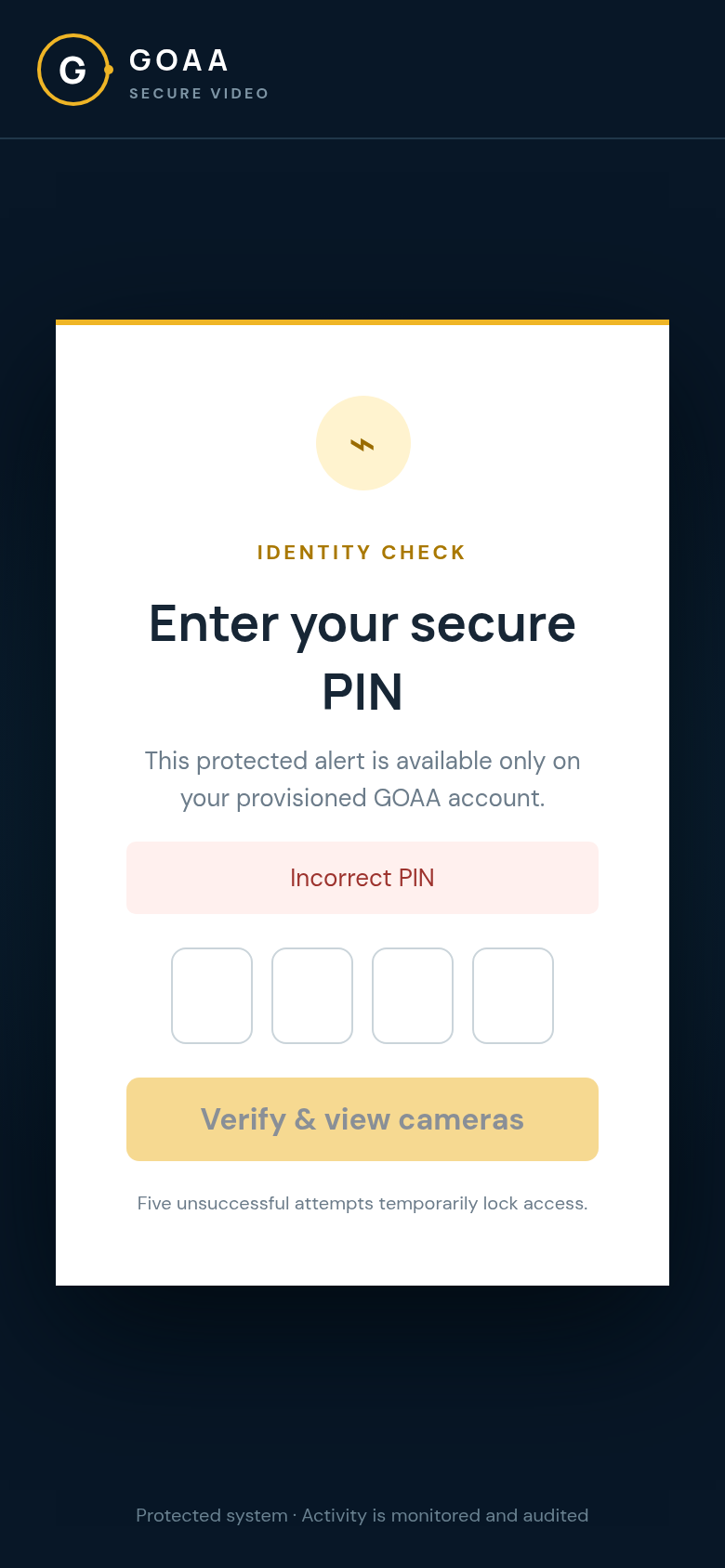
  • Tapping the link validates it server-side before anything is shown.
  • Incident details stay hidden until the 4-digit PIN is verified.
  • A wrong PIN is rejected and logged as PIN_FAILED.
  • The correct PIN creates a server-side session. It is never stored in the link.
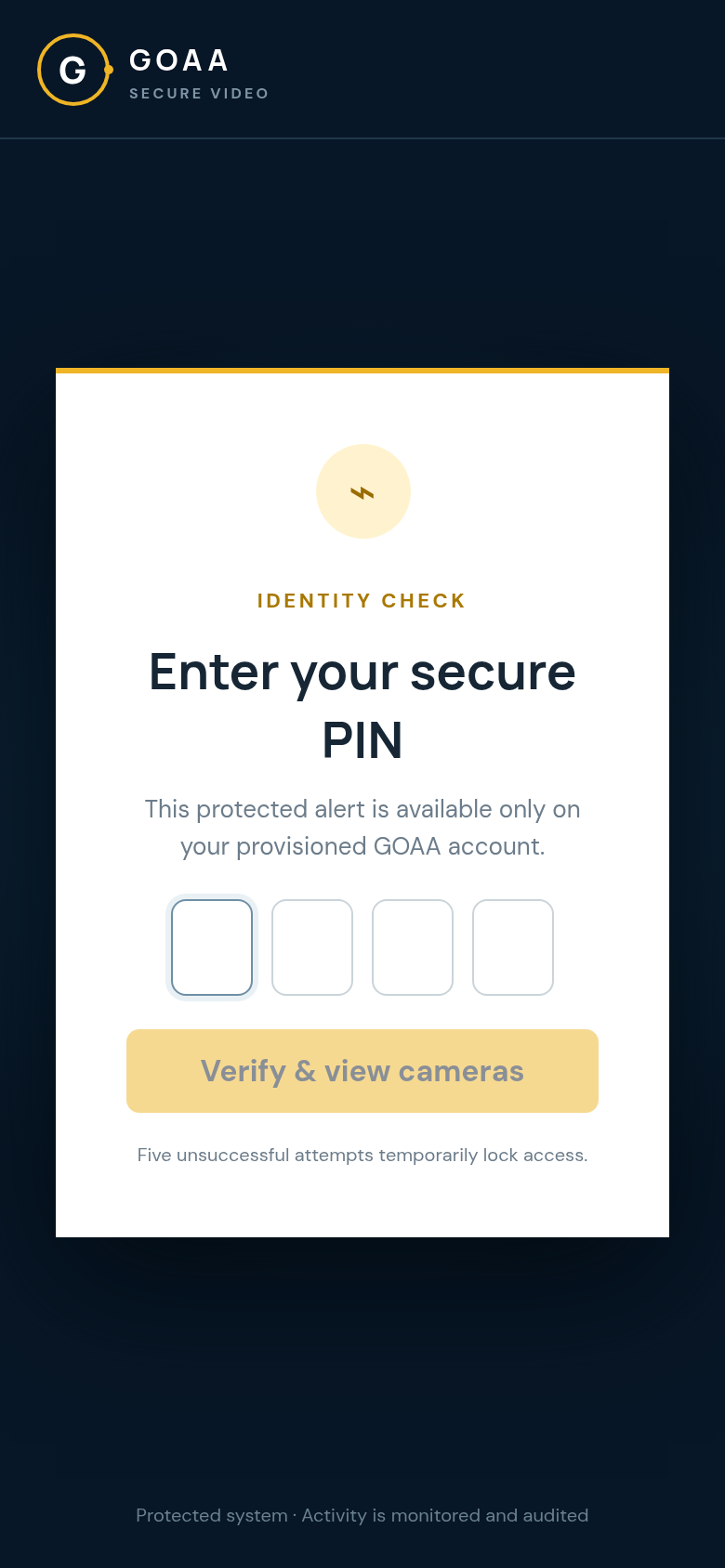
PIN screen

PIN entry

Incorrect PIN

Incorrect PIN rejected

GOAA Secure Video · POC10

Demo · Step 7

Six live views of the affected zone
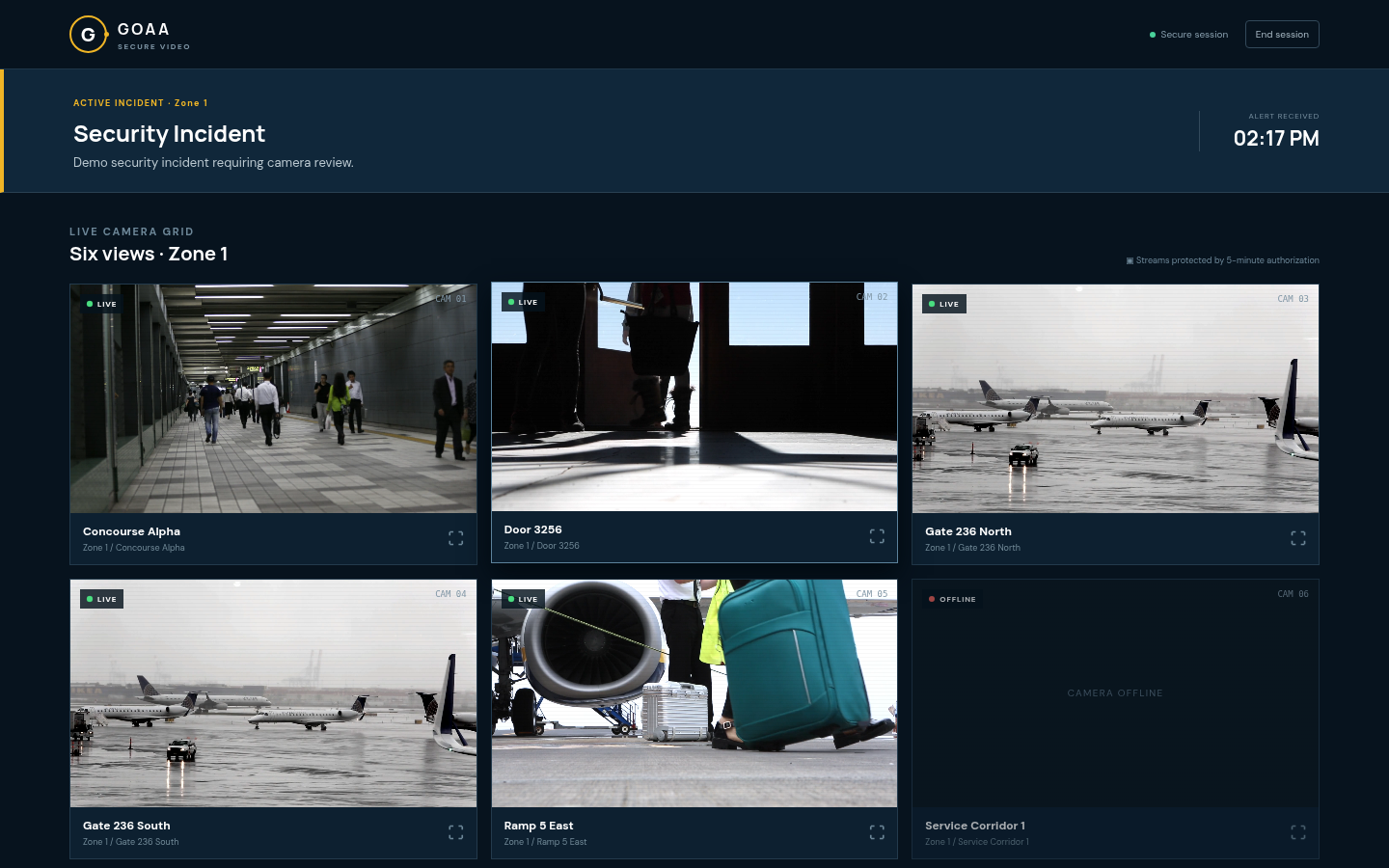
/a/<secure-token>
Camera grid desktop

The responder sees only the active incident and its zone's cameras. The offline Service Corridor camera is shown as unavailable.
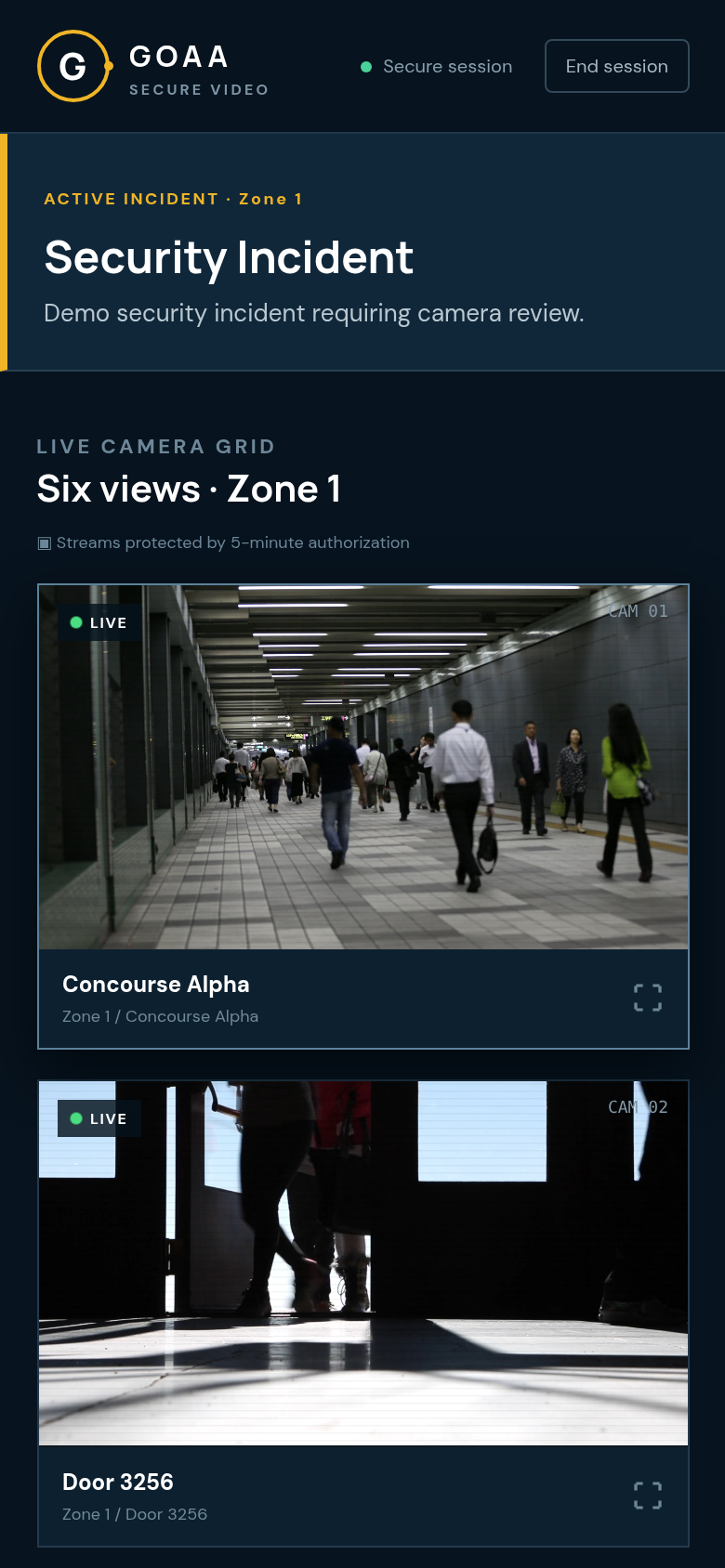
Camera grid mobile

Same view on the phone

GET /viewer/context → POST /video/token → POST /viewer/playback11

Demo · Step 8

Fullscreen camera review

  • Any live tile opens a fullscreen view, with ‹ › or the arrow keys to move between cameras.
  • Each open requests a fresh video token, logged as CAMERA_FULLSCREEN_OPENED.
  • The on-screen timer shows the 5-minute authorization window.
  • If access is revoked meanwhile, the feed is refused and the viewer closes.
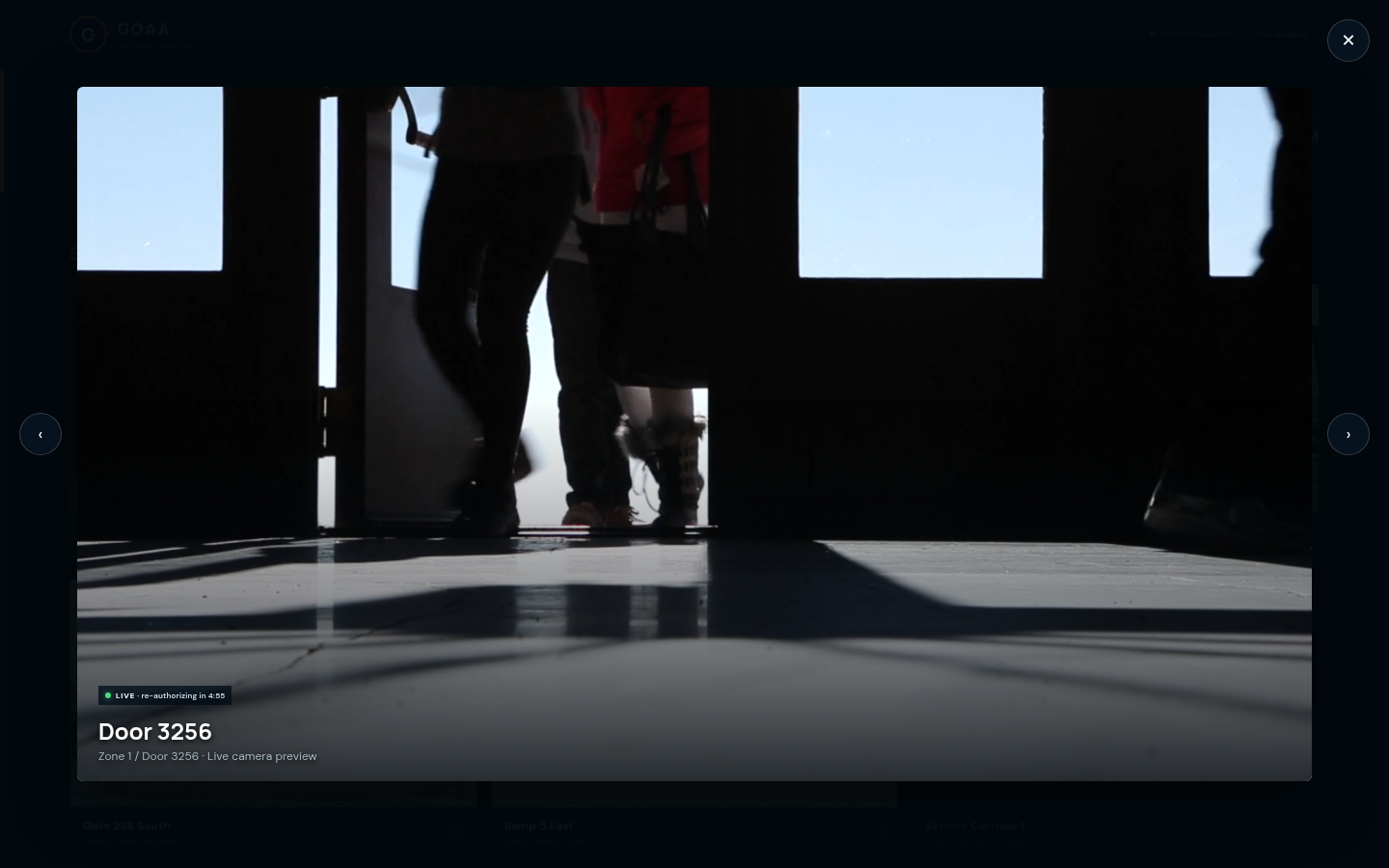
Fullscreen · Door 3256
Fullscreen camera
Video token TTL: 300 s · validated by the gateway on every request12

Demo · Step 9 · Security control

Instant revocation

  • In People & phones, the admin sees each responder's device and last access.
  • Disable revokes all of the user's sessions at once: "User disabled and sessions revoked."
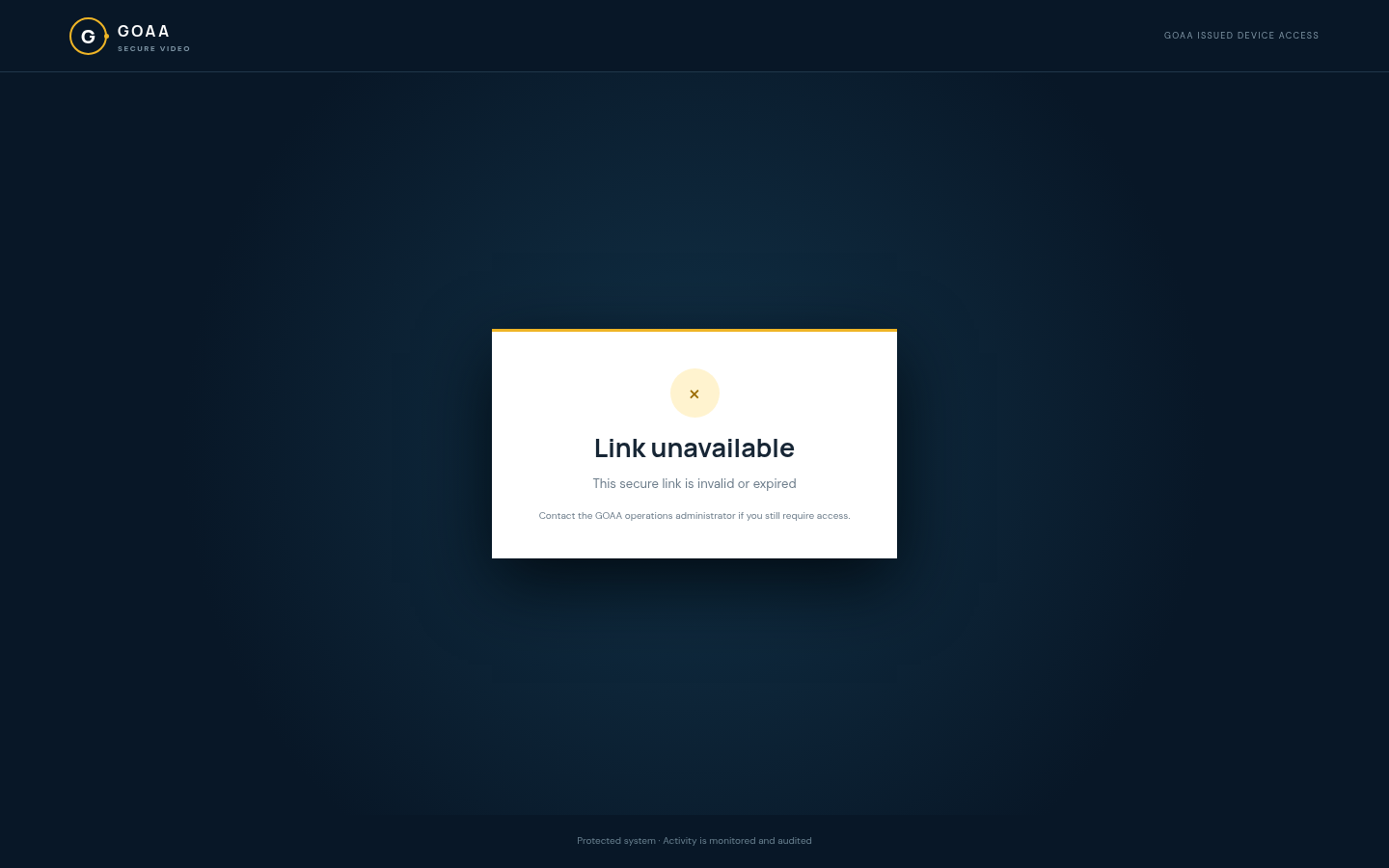
  • The responder's next request is refused, and the link now shows "Link unavailable".
  • Enable, Reset PIN and Revoke sessions are one click each, and all are audited.
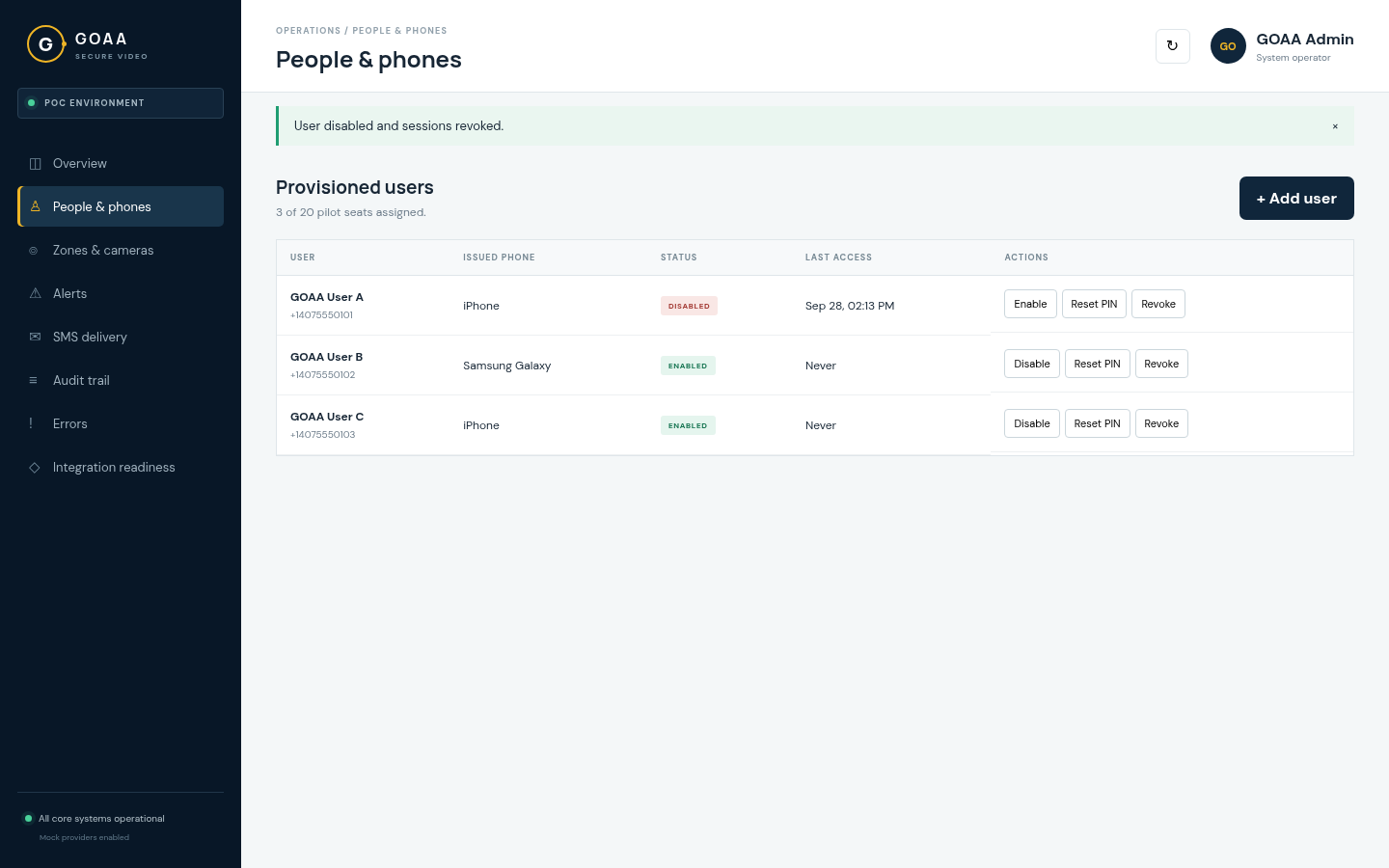
People & phones
User disabled

Admin disables GOAA User A

Responder's browser
Link unavailable

Responder is locked out immediately

USER_DISABLED · SESSION_REVOKED · VIDEO_TOKEN_REJECTED13

Demo · Step 10 · Security control

PIN lockout & alert lifecycle
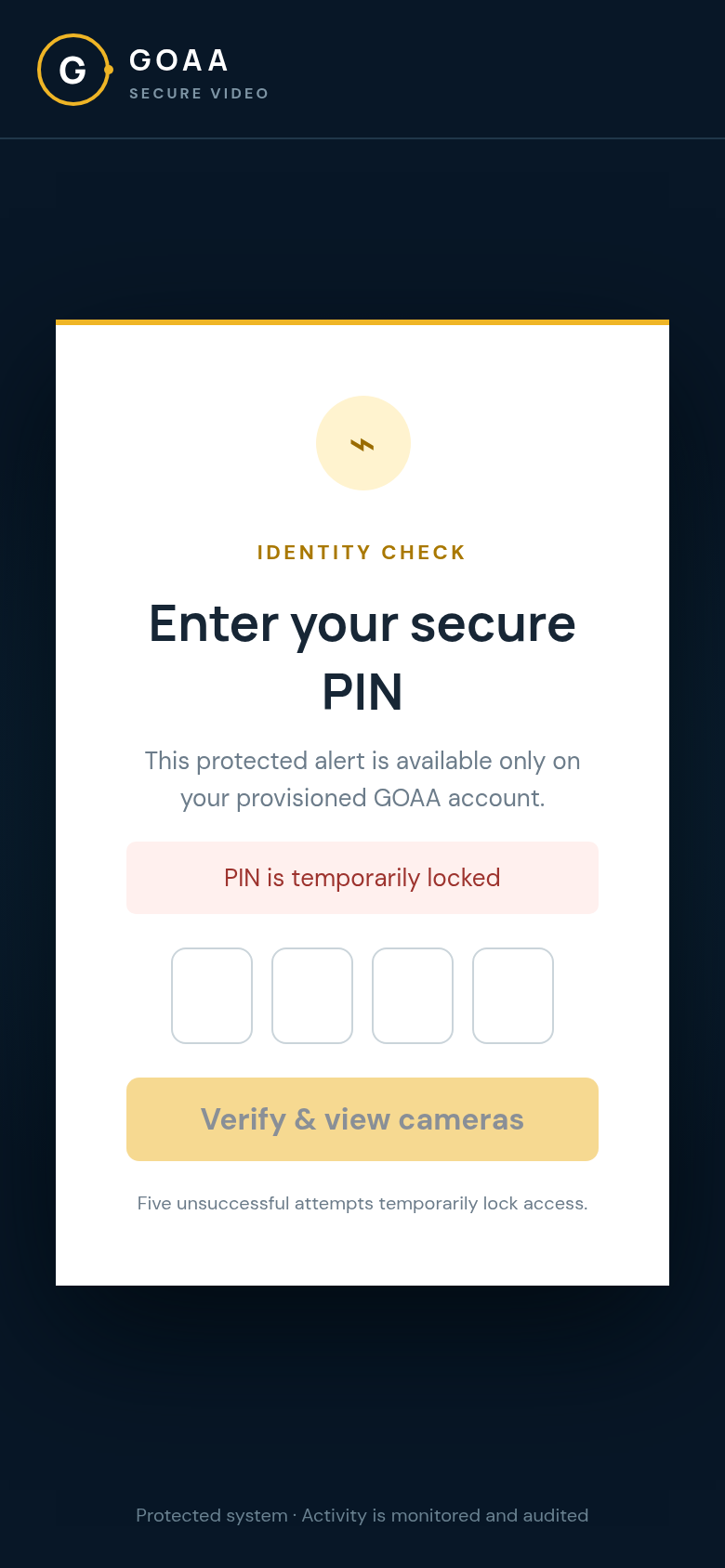
PIN locked

5 wrong PINs → locked for 15 min

  • Brute force is stopped: five failed PINs lock the account for 15 minutes (PIN_LOCKED). An admin can Reset PIN to clear it. There is also a per-IP limit of 20 attempts per 15 minutes.
  • One active incident at a time: a new Zone 2 alert automatically closes the Zone 1 alert, and every Zone 1 link and session stops working.
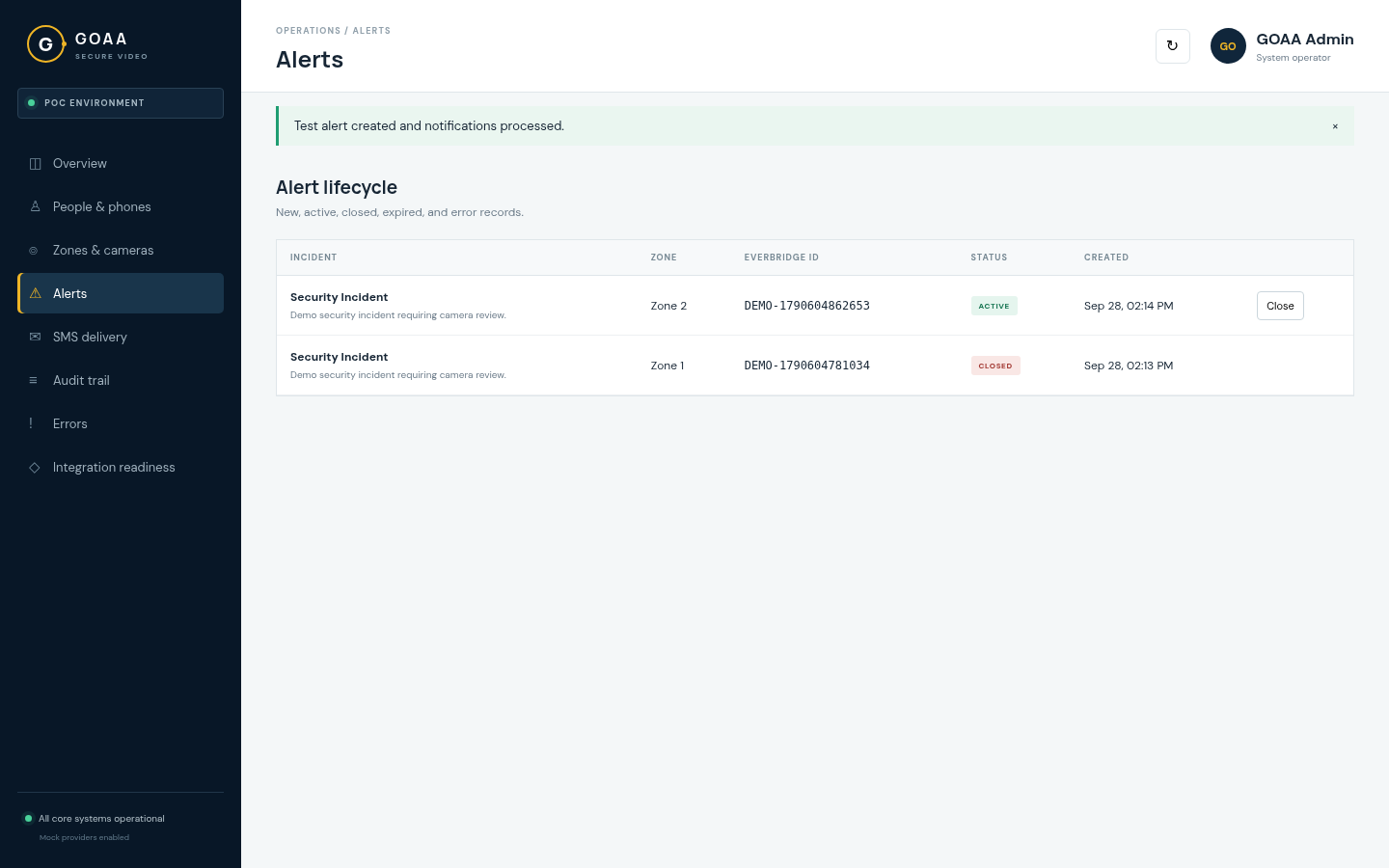
Alerts
Alert lifecycle
GOAA Secure Video · POC14

Demo · Step 11

A complete, immutable audit trail

Every step of the flow is recorded, from the email arriving to the moment a responder opens a camera. That gives a defensible record for incident review.

EMAIL_RECEIVEDEMAIL_VALIDATEDEMAIL_REJECTEDEMAIL_PARSEDDUPLICATE_EMAIL_IGNORED ALERT_CREATEDALERT_ACTIVATEDALERT_CLOSEDALERT_EXPIREDTEST_ALERT_CREATED SMS_QUEUEDSMS_SENTSMS_DELIVEREDSMS_FAILED SECURE_LINK_OPENEDPIN_VERIFIEDPIN_FAILEDPIN_LOCKEDSESSION_CREATEDSESSION_REVOKED VIDEO_TOKEN_ISSUEDVIDEO_TOKEN_REJECTEDCAMERA_GRID_OPENEDCAMERA_VIEWEDCAMERA_FULLSCREEN_OPENED USER_DISABLEDUSER_ENABLEDADMIN_CHANGE

Highlighted: the happy-path chain from one alert to one camera view.
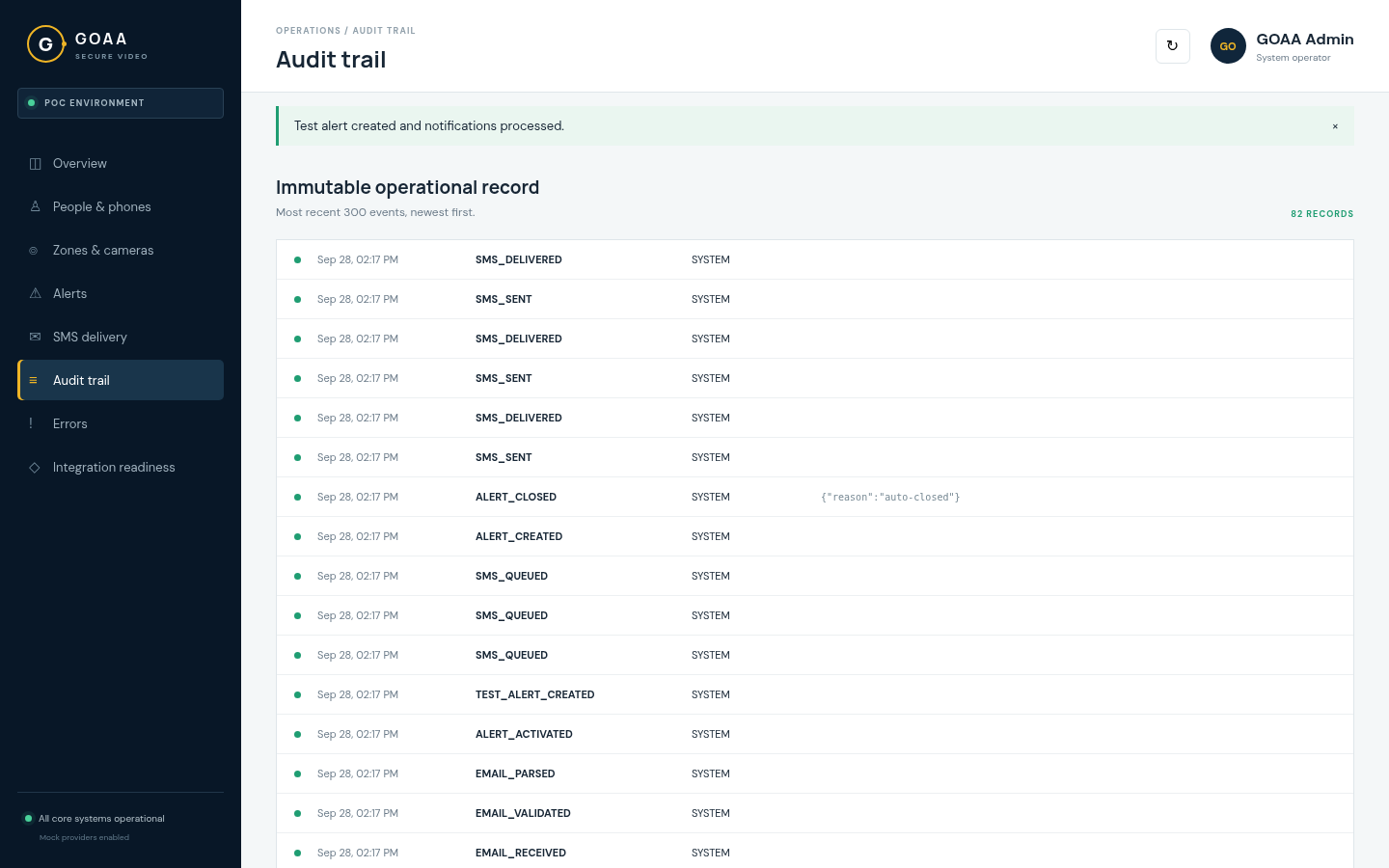
Audit trail
Audit trail
28 audit event types · packages/shared15

Demo · Step 12

Integration readiness

  • The full workflow already runs end to end on adapters. Going live means swapping in vendor credentials, not rebuilding.
  • A live health strip covers the API, database, email worker, SMS and video providers.
  • The state shows Degraded only because of the two deliberately offline demo cameras.
  • Each vendor card lists exactly what we need from them.
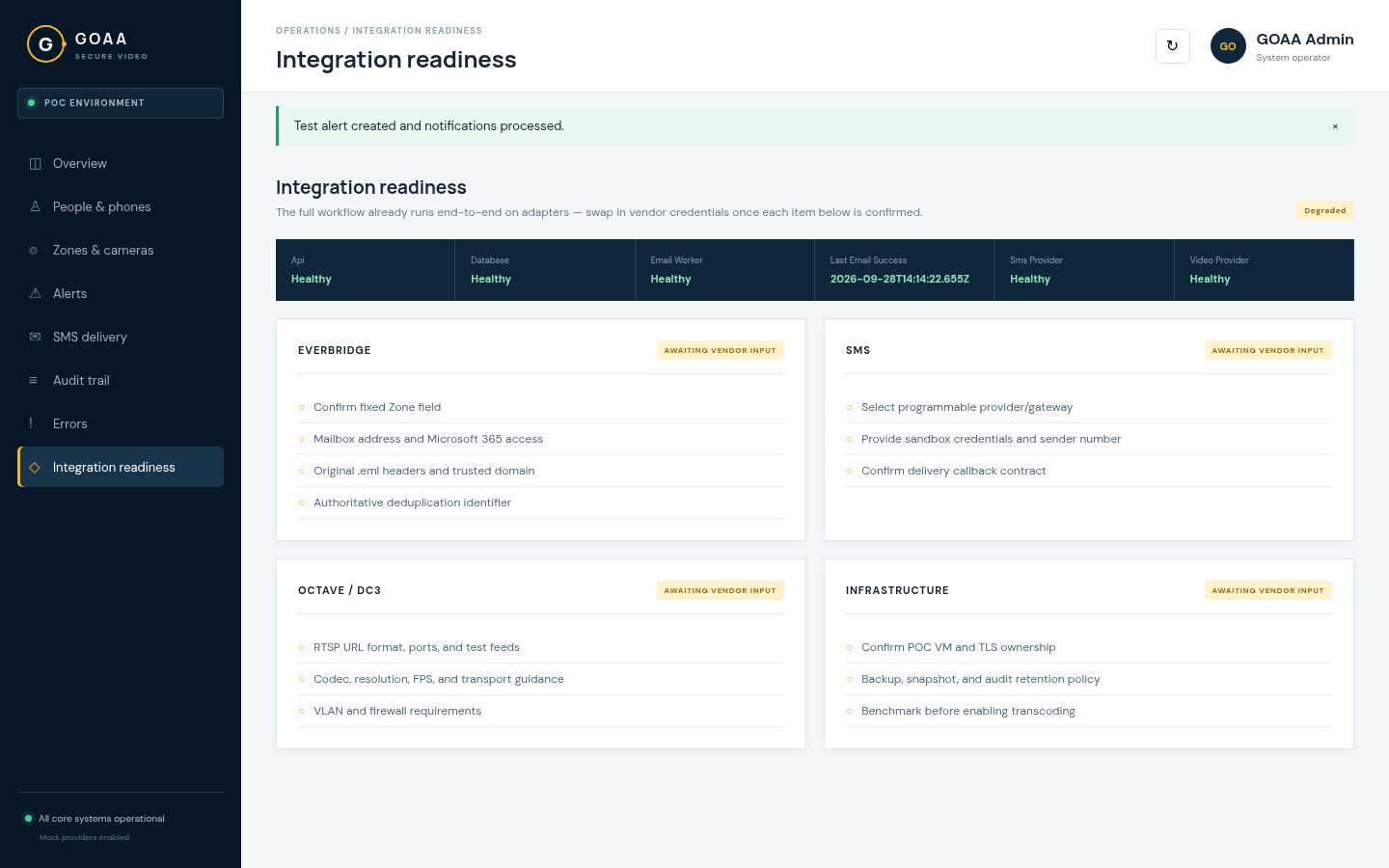
Integration readiness
Vendor adapters fail closed until configured16

Security by design

Controls built into the POC

Unguessable links

32 random bytes per responder per alert. Only a peppered SHA-256 hash is stored. Links expire after 24 hours.

PIN + lockout

Argon2-hashed PINs. 5 failures lock the account for 15 minutes, and a per-IP limit of 20 attempts per 15 minutes stops spraying.

Short-lived video access

5-minute tokens, issued only for an enabled user with a live session on an active alert.

Gateway re-checks every request

Disabling a user or revoking a session blocks new video authorization immediately.

No secrets to the edge

RTSP URLs and camera credentials never reach the browser, the SMS or the logs.

Hardened web layer

HTTP-only, SameSite=Strict cookies, origin checks on every mutation, Helmet headers and HTTPS with HSTS.

docs/architecture.md · Trust boundaries17

Delivery

Environments & automated deployment

EnvironmentWeb / AdminAPIDeploys from
Developmentdev.goa.abrdns.comdev-api.goa.abrdns.comDevelopment branch
UATuat.goa.abrdns.comuat-api.goa.abrdns.comUAT branch
  • Push to deploy: GitHub Actions self-hosted runners on the Azure VM build and roll out on every push, with a health check after each deploy.
  • Isolated stacks: each environment has its own containers, database, secrets and ports.
  • HTTPS everywhere: nginx reverse proxy with auto-renewing Let's Encrypt certificates.
  • Stack: Next.js 16 · Express 5 · TypeORM · PostgreSQL 16 · Docker Compose.
Azure · GOA-UbuntuSrv18

Path to production

What we need next

Vendor input

Everbridge & mailbox

Fixed Zone field in the final template, dedicated mailbox, Microsoft 365 / Graph access, original .eml headers, authoritative dedup ID.

Vendor input

SMS provider

Provider or carrier-gateway selection, sandbox and production credentials, sender number or short code, delivery-callback contract.

Vendor input

Octave / dC3 cameras

RTSP format and test feeds; codec, resolution, FPS and bitrate; VLAN and firewall rules; gateway sizing benchmark.

Hardening backlog

Before shared rollout

Approved admin identity (SSO), SPF/DKIM enforcement, persistent admin sessions, automatic video-token renewal, restricting public health detail, and backup and audit-retention policy.

GOAA Secure Video · POC19
G
GOAASECURE VIDEO

Summary

The workflow is proven end to end.

Alert → responder → PIN → six live cameras, with instant revocation and a full audit trail, running today on Development and UAT. Connecting the real vendors is the remaining step.

Questions & live walkthrough · dev.goa.abrdns.com

Alliance One Consulting20
← → navigate · F fullscreen · click a screenshot to enlarge